AlgemeenVoorwaardenPrivacyContact
 
Bijwerken
PDF Photos

PDF Photos

Uitgebracht: 2015-06-04
© Sarrada Software Inc
PDF Photos - QR Code
Versie 4.4
4+
Download in de App Store
Versie 4.4
4+
Download in de App Store
Uitgebracht: 2015-06-04
© Sarrada Software Inc

iPhone schermafdrukken

Schermafbeelding
Schermafbeelding
Schermafbeelding
Schermafbeelding
Schermafbeelding
Schermafbeelding

iPad schermafdrukken

Schermafbeelding
Schermafbeelding
Schermafbeelding
Schermafbeelding
Schermafbeelding

Beschrijving

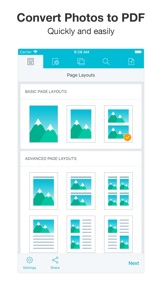
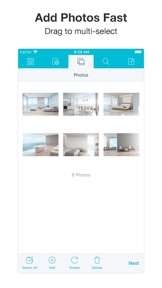
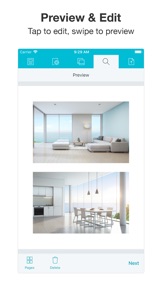
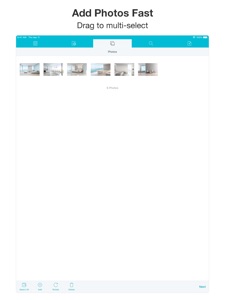
Convert to pdf to easily share photos with friends and colleagues. Choose photo layout, add photos, preview then share pdf. PDF Photos is an easy and intuitive JPG to PDF Converter. Choose 1 photo per page layout for converting photos of documents to pdf. Choose Photo Grid layout or a photo layout with photo text. Create your own custom Photo Grid layouts. Brand your documents with cover page, header and footer. Resize image with medium or small file size option. Further reduce image size by adjusting jpg quality. Email, print, save pdf to cloud drive and more. Use PDF Photos as a Photo Grid App and save pages as jpg to Photos.
Brand your documents
Add cover page, header and footer with your name and logo.
Layouts
Take photos of documents with your camera then convert to pdf. Choose from pre-defined Photo Grid layouts with photo text. Create your own custom Photo Grid layout. Convert jpg to pdf to easily print one or more photos on a page.
Control File Size: Resize Images and Compress JPG
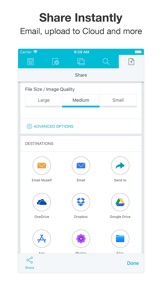
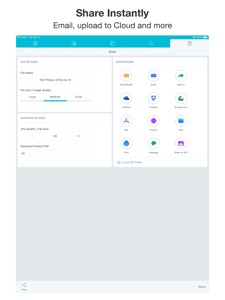
Convert jpg to pdf to share photos faster with a smaller file size. PDF Photos has simple options; Medium and Small, to resize image for a smaller overall file size. Control jpg quality to further compress image and reduce image size.
Document Options
Change orientation, margins and paper size. Choose Image Scale: Fit or Fill the image on the page or in the Photo Grid.
Save and Share Anywhere
Email, print, send pdf to Adobe Reader or to another app. Convert to pdf and upload directly to iCloud Drive, Google Drive, Dropbox or OneDrive. PDF Photos is more than just a JPG to PDF Converter. PDF Photos can save your Photo Grid pages as jpg images.
Simple and intuitive interface makes PDF Photos the easiest JPG to PDF Converter and Photo Grid App you’ll ever use!
PDF Photos Unlimited is available for purchase as Lifetime or Subscription: 1 Year, 3 Months or 1 Month. Check in app for exact pricing in your region. Payment will be charged to iTunes Account at confirmation of purchase. Subscription automatically renews unless auto-renew is turned off at least 24-hours before the end of the current period. Account will be charged for renewal within 24-hours prior to the end of the current period. Subscriptions may be managed by the user and auto-renewal may be turned off by going to the user's Account Settings after purchase.
https://www.sarrada.com/app/privacy.htm
https://www.sarrada.com/termsofservice.htm

Wat is nieuw in versie 4.4

Bug Fixes

Verkoper

Naam

Sarrada Software Inc

URL

Informatie

Categorieën

Versie

4.4

Grootte

71,9 MB

Game Center

Nee

VPP Device Licensing

Ja

Beoordeling

Beoordeling: 4+

Compatibiliteit

iOS 10.0 of nieuwer

Apparaten

iPhone 5, iPhone 5c, iPhone 5s, iPhone 6, iPhone 6 Plus, iPhone 6s, iPhone 6s Plus, iPhone SE, iPhone 7, iPhone 7 Plus, iPhone 8, iPhone 8 Plus, iPhone X, iPhone XR, iPhone XS, iPhone XS Max, iPhone 11, iPhone 11 Pro, iPhone 11 Pro Max, iPhone SE (2e generatie), iPhone 12, iPhone 12 Pro, iPhone 12 Pro Max, iPhone 12 mini, iPad (4e generatie) (Wi-Fi), iPad (4e generatie) (4G), iPad (5e generatie) Wi-Fi, iPad (5e generatie) Wi-Fi + Cellular, iPad (6e generatie) Wi-Fi, iPad (6e generatie) Wi-Fi + Cellular, iPad Pro, iPad Pro (Cellular), iPad Pro (9,7 inch), iPad Pro (9,7 inch) (Cellular), iPad Pro 12,9-inch (2e generatie), iPad Pro 12,9-inch (2e generatie) Wi-Fi + Cellular, iPad Pro (10,5-inch), iPad Pro (10,5-inch) Wi-Fi + Cellular, iPad Pro (11-inch), iPad Pro (11-inch) Wi-Fi + Cellular, iPad Pro 12,9-inch (3e generatie), iPad Pro 12,9-inch (3e generatie) Wi-Fi + Cellular, iPad Air, iPad Air (Cellular), iPad Air 2, iPad Air 2 (Cellular), iPad Air (derde generatie), iPad Air (derde generatie) Wi-Fi + Cellular, iPad mini Retina, iPad mini Retina (Cellular), iPad mini 3, iPad mini 3 (Cellular), iPad mini 4, iPad mini 4 (Cellular), iPad mini (5e generatie), iPad mini (5e generatie) Wi-Fi + Cellular, iPad (7e generatie) Wi-Fi + Cellular, iPad Pro 11-inch (2e generatie), iPad Pro 11-inch (2e generatie) Wi-Fi + Cellular, iPad Pro 12,9-inch (4e generatie), iPad Pro 12,9-inch (4e generatie) Wi-Fi + Cellular, iPad Air (4e generatie) (Wi-Fi), iPad Air (4e generatie) (Wi-Fi + Cellular), iPad (8e generatie) Wi-Fi, iPad (8e generatie) Wi-Fi + Cellular, iPad Pro 11-inch (3e generatie), iPad Pro 11-inch (3e generatie) Wi-Fi + Cellular, iPad Pro 12,9-inch (5e generatie), iPad Pro 12,9-inch (5e generatie) Wi-Fi + Cellular, iPod touch (zesde generatie), iPod touch (7e generatie)
Talen

Chinees, Duits, Engels, Frans, Italiaans, Japans, Koreaans, Portugees, Russisch, Spaans, Thais, Turks

App Store: Klantbeoordeling

Beoordelingen en recensies

4,5 van 5 (272 beoordelingen)

App Store: Recensies van klanten

2019-09-29

Works fine, but...

This app works fine, but it is *extremely* aggressive in trying to push a paid plan. On startup it instantly attempts to start a subscription without even asking which might catch you off guard and sign up by mistake, when browsing it suddenly does and again on generation whilst payment isn’t needed. This happening when you’re just trying to see if it does what you want is a bit bizarre, so I’ve deleted the app again as this just feels a bit scammy.
LvH007!
Versie 3.9
2018-11-11

Snelle manier om te digitaliseren

Ik maak foto’s met mijn mobiel van schriftjes en andere herinneringen en die zet ik hiermee om in pdf om op mijn e reader te kunnen bekijken. Gaat een stuk sneller dan eerst op de pc moeten zetten.
suzie234674366
Versie 3.5
2018-08-04

PDF Photo

definitely a must 👏🏻👏🏻👏🏻
high tech quality
Versie 3.3
2018-08-03

Geweldig!

Eindelijk een oplossing voor de kansloze iBook app, waar je helemaal niets mee kunt. Deze app geeft je volledige vrijheid om simpel een pdf vanuit de app te mailen.
Rvssr024
Versie 3.3
2018-07-21

Pdfen

Simpel en goed.
Pmaishbahi
Versie 3.3
2018-07-20

Alleen nog betaald

Slecht
hjkdsfnojfrycgooh
Versie 3.3
2018-03-10

Doet precies wat het moet doen, snel en simpel

Goede duidelijke app die snel en makkelijk werkt.
Niels Goedvolk
Versie 2.8
2018-03-06

Top

Functioneerde precies zoals het moet
Mymic2
Versie 2.7
2017-12-16

Perfect!

Perfect free app to convert photos to pdf, very handy for making screenshots to pdf !
Melissa AT
Versie 2.5
2017-10-06

Eenvoudig en snel!

Fijne app en werkt goed & snel!
Gamberro82
Versie 2.1
2017-08-20

Top

Geweldig, de app werkt snel en soepel met je foto's
Jimvb1
Versie 2.1
2017-08-20

Just works. Intuitive and effective.

Title says it all.
Makoo72
Versie 2.1
2017-08-11

Erg makkelijk, super!

Exact wat ik zocht. Beter dan de automatische scanners
KareltjeK
Versie 2.1
2017-07-11

Prima app. Super handig

Snel, eenvoudig en handig!
cmalpho
Versie 1.9
2017-06-26

fast

perfect
ghfdaadgjkjgffjjk
Versie 1.9
2017-05-09

Super aap !!!!

Super aap ...het werk perfect.
Monica 68
Versie 1.9
2017-01-09

Perfect

Smooth, easy to use and fast. I really recommend this app for PDF creation.
Kygran
Versie 1.9
2017-01-01

Perfect

Ik kan in feite veel foto's nu als pdf in iBook uitlezen
Taijohn2
Versie 1.9
2016-04-05

Top app

Werkt precies zoals ik hoopte, even snel wat foto's in een pdf proppen, geweldig
Gomez-Diego
Versie 1.6
2016-03-27

Nuttige en handige app

Dit is een handige en nuttige app, zet de afbee je iphone/ipad om in pdf die je dan weer kunt opslaan. Handig voor sites die niet overweg kunnen met png bestanden.
Ronaldovic
Versie 1.6
2016-01-05

Super eenvoudig

Heel gemakkelijk van meerdere foto's één pdf te maken en in mappen/cloud/email etc op te slaan
Arlette NL
Versie 1.5
2015-12-26

Handig

Zeer handig tooltje op foto's om te zetten naar pdf en op te slaan in mappen of cloud 👍🏻
Tiburon.marc
Versie 1.5