AlgemeenVoorwaardenPrivacyContact
 
Bijwerken
Sign by JotNot - fill and sign PDF form or sign PDF document

Sign by JotNot - fill and sign PDF form or sign PDF document

Uitgebracht: 2011-10-13
© 2016 MobiTech 3000 LLC
Sign by JotNot - fill and sign PDF form or sign PDF document - QR Code
Versie 2.1.1
4+
Download in de App Store
Versie 2.1.1
4+
Download in de App Store
Uitgebracht: 2011-10-13
© 2016 MobiTech 3000 LLC

iPhone schermafdrukken

Schermafbeelding
Schermafbeelding
Schermafbeelding
Schermafbeelding
Schermafbeelding

iPad schermafdrukken

Schermafbeelding
Schermafbeelding
Schermafbeelding
Schermafbeelding
Schermafbeelding

Beschrijving

Sign PDF documents directly from your iPad or iPhone with JotNot Signature. Pay once, and get unlimited signing forever.
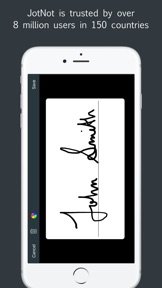
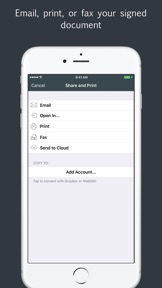
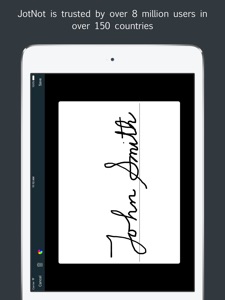
JotNot Signature makes it simple to sign documents in electronic format without having to print them out. Use JotNot Signature's built-in signature pad to sign your name and drop it into your document directly. Once signed, share your document via email, or copy it to a cloud storage service, such as iCloud Drive, Dropbox, Google Drive, Box, or OneDrive.
Use text, date, and checkmark annotations to fill out forms electronically. For added security, password-protect your signed document before emailing or sharing. Additionally, you can add a password lock to the entire app to prevent access to your JotNot Signature files by unauthorized persons.
JotNot Signature is the perfect companion to JotNot Fax. Use JotNot Signature for signing, and then open it in JotNot Fax for faxing.
Features of JotNot Signature:
* Sign unlimited PDF documents from your iPhone or iPad
* Add text, date, or checkmarks to documents
* Connect with Box, Dropbox, Google Drive, iCloud Drive, OneDrive, or WebDAV to import or export documents
* Import documents from other apps like Mail or Gmail
* Store signatures securely for easy one-tap adding to a document
* Lock the entire app with a password
* Password-protect individual PDF files
* Sort documents manually or by date or name
* Includes a Getting Started quick start guide

Wat is nieuw in versie 2.1.1

This app has been updated by Apple to display the Apple Watch app icon.
Bugfix update
- fixes bug where annotations disappear when swiping to a new page
- fixes crash that prevents some devices from opening the app
- fixes file duplication on import

Verkoper

Naam

MobiTech 3000 LLC

Informatie

Ontwikkelaar

Categorieën

Versie

2.1.1

Grootte

14,6 MB

Game Center

Nee

VPP Device Licensing

Ja

Beoordeling

Beoordeling: 4+

Compatibiliteit

iOS 8.0 of nieuwer

Apparaten

iPhone 4S, iPhone 5, iPhone 5c, iPhone 5s, iPhone 6, iPhone 6 Plus, iPhone 6s, iPhone 6s Plus, iPhone SE, iPhone 7, iPhone 7 Plus, iPhone 8, iPhone 8 Plus, iPhone X, iPhone XR, iPhone XS, iPhone XS Max, iPhone 11, iPhone 11 Pro, iPhone 11 Pro Max, iPhone SE (2e generatie), iPhone 12, iPhone 12 Pro, iPhone 12 Pro Max, iPhone 12 mini, iPhone 13, iPhone 13 Pro, iPhone 13 Pro Max, iPhone 13 mini, iPhone SE (3e generatie), iPhone 14, iPhone 14 Plus, iPhone 14 Pro, iPhone 14 Pro Max, iPad 2 (Wi-Fi), iPad 2 (3G), iPad (3e generatie) (Wi-Fi), iPad (3e generatie) (4G), iPad (4e generatie) (Wi-Fi), iPad (4e generatie) (4G), iPad (5e generatie) Wi-Fi, iPad (5e generatie) Wi-Fi + Cellular, iPad (6e generatie) Wi-Fi, iPad (6e generatie) Wi-Fi + Cellular, iPad Pro, iPad Pro (Cellular), iPad Pro (9,7 inch), iPad Pro (9,7 inch) (Cellular), iPad Pro 12,9-inch (2e generatie), iPad Pro 12,9-inch (2e generatie) Wi-Fi + Cellular, iPad Pro (10,5-inch), iPad Pro (10,5-inch) Wi-Fi + Cellular, iPad Pro (11-inch), iPad Pro (11-inch) Wi-Fi + Cellular, iPad Pro 12,9-inch (3e generatie), iPad Pro 12,9-inch (3e generatie) Wi-Fi + Cellular, iPad Air, iPad Air (Cellular), iPad Air 2, iPad Air 2 (Cellular), iPad Air (derde generatie), iPad Air (derde generatie) Wi-Fi + Cellular, iPad mini (Wi-Fi), iPad mini (4G), iPad mini Retina, iPad mini Retina (Cellular), iPad mini 3, iPad mini 3 (Cellular), iPad mini 4, iPad mini 4 (Cellular), iPad mini (5e generatie), iPad mini (5e generatie) Wi-Fi + Cellular, iPad (7e generatie) Wi-Fi + Cellular, iPad Pro 11-inch (2e generatie), iPad Pro 11-inch (2e generatie) Wi-Fi + Cellular, iPad Pro 12,9-inch (4e generatie), iPad Pro 12,9-inch (4e generatie) Wi-Fi + Cellular, iPad Air (4e generatie) (Wi-Fi), iPad Air (4e generatie) (Wi-Fi + Cellular), iPad (8e generatie) Wi-Fi, iPad (8e generatie) Wi-Fi + Cellular, iPad Pro 11-inch (3e generatie), iPad Pro 11-inch (3e generatie) Wi-Fi + Cellular, iPad Pro 12,9-inch (5e generatie), iPad Pro 12,9-inch (5e generatie) Wi-Fi + Cellular, iPad (9e generatie), iPad (9e generatie) Wi-Fi + Cellular, iPad mini (6e generatie), iPad mini (6e generatie) Wi-Fi + Cellular, iPad Air (5e generatie), iPad Air (5e generatie) Wi-Fi + Cellular, iPod touch (vijfde generatie), iPod touch (zesde generatie), iPod touch (7e generatie), Apple Watch Series 4, Apple Watch Series 5, Apple Watch Series 6 (GPS), Apple Watch Series 6 (GPS + Cellular), Apple Watch Series SE (GPS), Apple Watch Series SE (GPS + Cellular), Apple Watch Series 7 (GPS), Apple Watch Series 7 (GPS + Cellular), Apple Watch Series 8 (GPS), Apple Watch Series 8 (GPS + Cellular), Apple Watch SE (2e generatie) (GPS), Apple Watch SE (2e generatie) (GPS + Cellular), Apple Watch Ultra

Talen

Engels, Frans

App Store: Klantbeoordeling

Beoordelingen en recensies

4,0 van 5 (3 beoordelingen)

App Store: Recensies van klanten

2016-11-21

fantastique app

can't go to my office without it
Nathalie !!!
Versie 2.1.1
2016-11-16

Signature super!

I enjoy using signature and scan by JotNot!
It saves me precious time!
One Islander
Versie 2.1.1
2014-01-29

Uitzonderlijk

Eindelijk een signatuur app die werkt zoals je mag verwachten.
teleton
Versie 1.5.1
2012-06-15

Beta?

Looks à bit beta....
There is no way to edit the created webdav accounts. So of it wont work, you need to create à new connection account.
After à 3rd attempt i get à webdav connection.
However i dont see the folders nor content. I can edit The "getting started" document and save it in the webdav location.
Which can be opened on the webdav server.
When i want to open the saved/edited document, i can't see it.
So original and saved documents arnt vissable with the webdav connection.
Hope this will be fixed soon. Without it, its useless for our business.
(edit) after the totday update, still no webdav....
Nicket84
Versie 1.3.1